


When your business is preparing to change its website, you are embarking on what search professionals call a website migration. Whether you are moving to a new domain, re-platforming to a different content management system or redesigning the site structure, these changes are more than cosmetic updates.
They involve significant alterations to the way pages are organised and linked, and they can affect how search engines understand and index your content. Understanding how do website migrations impact SEO is essential because, without a plan, migrations can lead to lost traffic, broken links and ranking drops.
At Seek Marketing Partners, we help clients carry out successful site migrations by combining technical SEO expertise with a step-by-step process that protects your hard-earned search visibility.
What Is a Website Migration?
A website migration is any large-scale change to your site that could impact how search engines crawl, index and rank it.
Migrations may involve changing your domain or subdomain, launching a new design, rebranding, consolidating multiple sites or moving from one platform to another. Changes to internal page structure or a significant redesign can also have SEO migration implications because they may alter how pages are organised, linked and crawled.
In other words, migrations range from simple URL changes to website content migration projects and complete overhauls of your website’s content architecture.
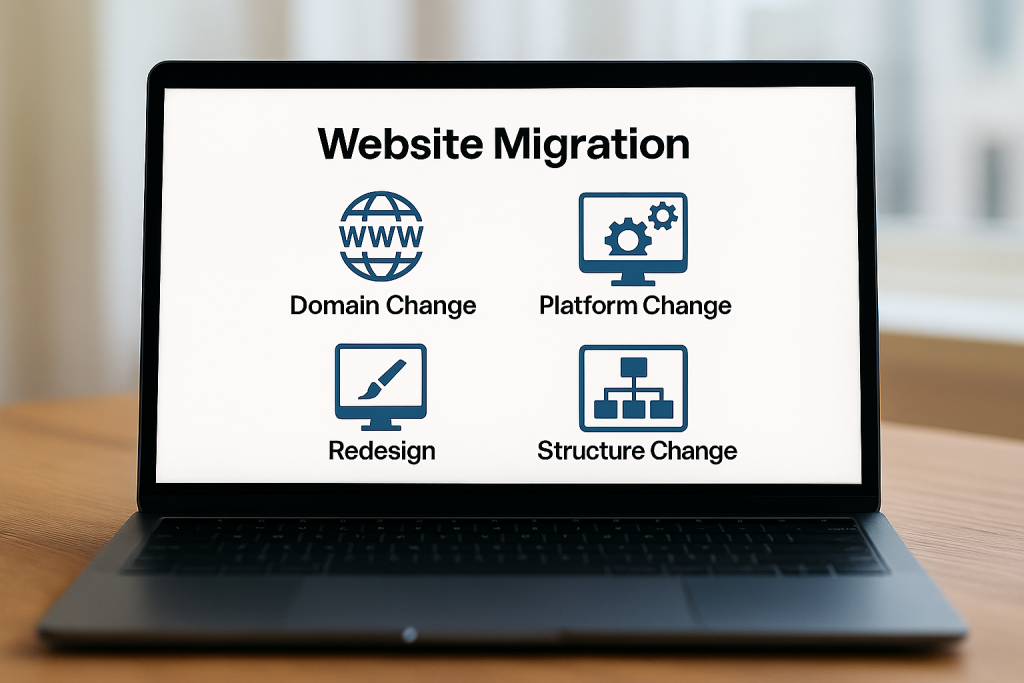
There are many reasons businesses undertake these projects:
- To align with a new brand.
- To merge business units into one coherent site.
- To adopt a more powerful platform.
- Or to improve user experience and performance.
Whatever your motivation, remember that migrations must be treated as technical projects with clear objectives, scope and timelines. Without a strategy, what should be an upgrade could instead become a ranking disaster.
How Website Migrations Impact SEO
When you migrate a site, you change the URLs that users and search engines rely on. Search Engine Land notes that: “Altering URLs can cause sudden traffic drops if you don’t use 301 redirects to map old pages to new ones.”
Broken links can create problems for users and search engines, while poor redirect implementation can make it harder for search engines to discover and process the correct URLs.
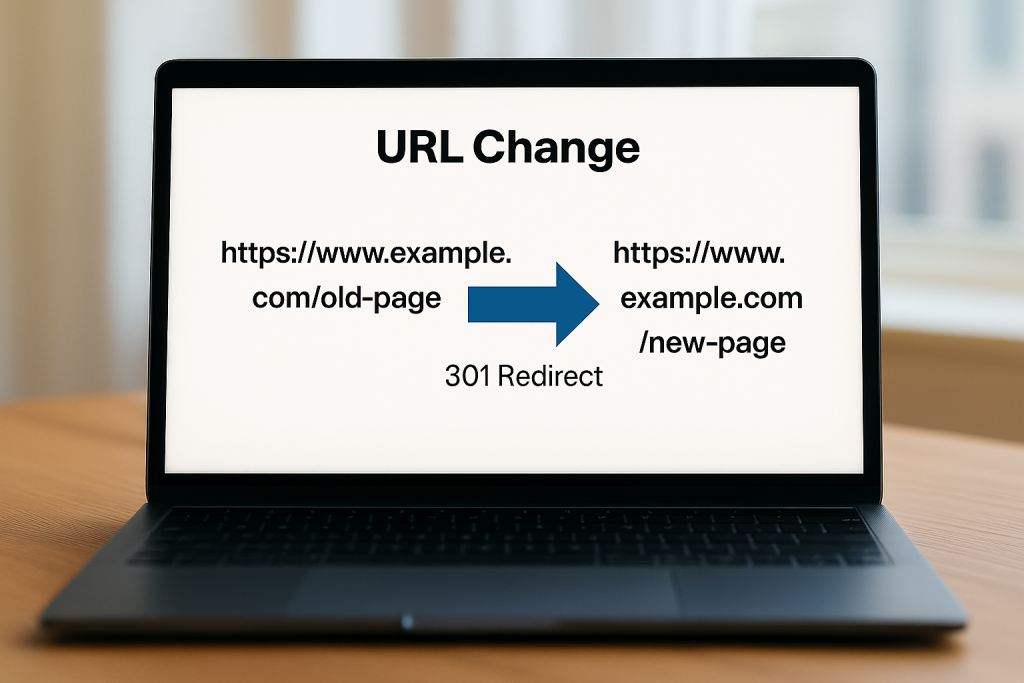
At Seek Marketing Partners, we recommend keeping your domain name and URL structure wherever possible and avoiding unnecessary changes to titles and meta descriptions. If you change a page’s URL, set up a permanent redirect from the old URL to the relevant new URL where appropriate, and avoid redirecting users to irrelevant or non-existent destinations.
Search engines need time to recrawl and re-index a migrated site, so rankings can fluctuate temporarily while the changes are processed. A well-planned site migration helps preserve rankings and minimise disruption, while a poorly executed one could lead to lost revenue and customer trust.
This is why our approach focuses on thorough preparation, careful testing and continuous monitoring.
Step-by-Step Process to Successful Site Migration
The site migration process involves four key phases: planning, preparation, launch and post-migration monitoring. Below is an outline of each phase along with best practices to minimise disruption.
1. Planning the Migration
Define goals and scope
Before any work begins, agree on why you are migrating and what parts of the site will be affected. Failing to set goals or define scope can lead to issues from the start. Decide whether you are changing domains, restructuring content, re-platforming or all three. Identify which pages and features will move and which will be retired.
Assemble your team
Appoint a project lead and involve key stakeholders from SEO, development, design and marketing. Clear communication reduces risk and ensures everyone understands the migration’s goals. At Seek Marketing Partners, we typically recommend assigning clear responsibilities and using a project management tool to track tasks.
Schedule wisely
If possible, schedule the migration during a period when site traffic is lower to reduce the number of users affected by potential problems. Set milestones for each phase – content inventory, redirect mapping, staging tests, launch, and post-launch review – and build in time buffers for troubleshooting.
2. Pre-Migration Preparation
Conduct a technical SEO audit
Use a crawler (such as Screaming Frog or a similar tool) to inventory your existing pages, identify crawl errors and note which URLs currently earn traffic and backlinks. Document current keyword rankings, organic traffic, important backlinks and top-performing pages so you know what to protect during the migration. Record metrics like page speed, Core Web Vitals, crawlability and indexability to benchmark your post-migration performance.
Review your site’s infrastructure
We recommend ensuring crawlability and indexability by checking robots.txt, XML sitemaps, canonical tags and noindex directives. Also verify that your site uses HTTPS, that your URL structure is logical and that internal linking flows naturally. Fix broken links because they waste crawl budget and hinder navigation.
Create a content inventory and visual sitemap
List all existing pages, paying particular attention to high-value content. Use this inventory to create a visual sitemap that illustrates your current information architecture. This helps you plan the future site structure and ensures no important page is overlooked.
Prepare a redirect map
Decide which pages will move, merge or be removed. For each moving page, create a 301 redirect from the old URL to the new one. Avoid redirect chains (A→B→C) where possible, and redirect old URLs directly to their final destinations to reduce unnecessary hops and potential delays. Cross-check redirects in a spreadsheet and test them on the staging site to catch errors before launch.
Document your server and environment
Record server settings, DNS configurations and any CDN or caching rules. This documentation ensures you can replicate the environment on the new server or platform and troubleshoot issues quickly. Take backups of your database and file system; migration can unearth unexpected problems, and a backup protects you from permanent data loss.
Build a staging environment
A staging site allows you to test changes without affecting the live site. Prevent the staging environment from being indexed, using appropriate access controls or other safeguards, and verify that these restrictions are removed when the new site goes live. Run a technical audit on the staging site to check for broken links, missing SEO elements, duplicate pages and other technical issues. Then correct any problems before moving to production.
3. Launch and Implementation
When the planned launch date arrives, ensure all redirects, sitemaps and robots files are ready. Keep the following in mind:
- Remove restrictions – If you have blocked search engines or set up password protection on your new site, remove these barriers just before launch so Google can crawl your new pages.
- Implement redirects – Upload your redirect map and verify that each old URL redirects to the correct new URL with a 301 status code. Avoid redirect chains or loops.
- Submit sitemaps – Update your XML sitemap with the new URLs and submit it through Google Search Console. Check that the robots.txt file references the new sitemap and is not blocking important sections.
- Check basic elements – Confirm that page titles, meta descriptions, headings and canonical tags are correct and that structured data markup still functions. Test forms, internal search, and key user journeys to ensure nothing breaks. Tools like PageSpeed Insights can help you verify that site speed and Core Web Vitals remain healthy.
- Update internal links – Replace links pointing to old URLs with links to the corresponding new URLs wherever possible. This reduces unnecessary redirects and helps users and search engines reach the correct pages directly.
4. Post-Migration Monitoring
After launch, monitor performance closely. It’s normal to see some fluctuations in traffic and rankings, but these should stabilise after search engines finish re-indexing your site. Keep an eye on:
Crawl and indexation
Use Google Search Console’s indexing reports and URL Inspection tool to identify pages that are not indexed, blocked from crawling or otherwise experiencing indexing issues. Investigate unexpected crawl errors, 404s and soft 404s, particularly where they affect important migrated URLs, and fix them where appropriate. Server log analysis can show which URLs Googlebot is requesting and help identify inefficient or unexpected crawling patterns.
Traffic and rankings
Compare your current rankings and organic traffic to your pre-migration benchmarks. If you notice sustained drops for specific queries, investigate whether redirects or internal links are misconfigured or whether the new page fails to satisfy search intent.
Technical performance
Re-check these elements after migration and address any issues identified by Google Search Console or PageSpeed Insights.
Documentation and maintenance
Update your internal documentation with the final redirect map and new site structure. Document lessons learned and schedule regular technical audits to keep your site healthy. Remember that SEO is an ongoing process; a successful migration does not mean you can ignore maintenance.
Technical SEO Audit Checklist for Migrations
Below is a concise checklist you can use to ensure all important elements are covered. Each item helps maintain your search visibility during migration:
- Benchmark and Audit: Crawl current site; record rankings, traffic, top pages and Core Web Vitals.
- Crawlability & Indexability: Check robots.txt, XML sitemaps, canonical tags, noindex directives and internal linking.
- Site Structure & URLs: Document current URL structure; maintain it where possible; plan new information architecture and internal link flow.
- Content Inventory: Identify all pages, mark high-value content and plan how each will be migrated or retired.
- Redirect Mapping: Create a 301 redirect plan; avoid redirect chains or loops.
- Technical Setup: Record server and DNS settings; back up data; set up staging environment for testing.
Conclusion – Let Us Guide Your Migration
Website migrations are complex but manageable with the right plan. By defining scope, auditing your current site, mapping URLs, testing before launch and monitoring afterwards, you can reduce the risk of losing search visibility and identify opportunities to improve the new site.
The key actions are:
- Prioritise crawlability.
- Maintain your URL structure.
- Use 301 redirects correctly.
- And continuously monitor technical health.
At Seek Marketing Partners, we help clients navigate migrations without losing momentum. Our approach is to perform a comprehensive technical audit, develop a tailored migration strategy, implement changes in a controlled staging environment and monitor outcomes closely. If you are considering moving to a new platform or domain, or restructuring your site, contact us today. We’ll guide you through the process and help you make the most of your website’s next chapter.